> ## Documentation Index
> Fetch the complete documentation index at: https://docs.plura.ai/llms.txt
> Use this file to discover all available pages before exploring further.
# Decision Triggers
> Control how conversations progress based on predefined conditions.
## Overview
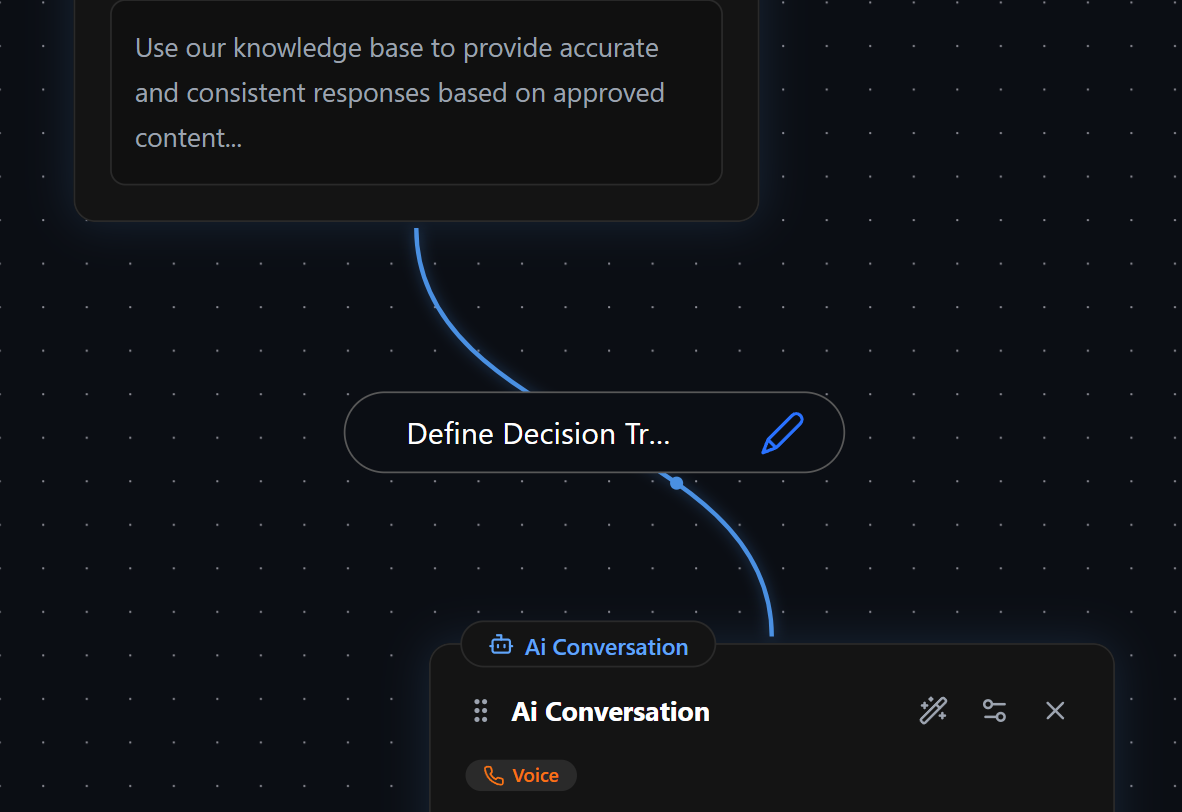
**Decision Triggers** determine how nodes are connected and define when the workflow progresses from one node to another. They ensure a structured and logical conversation flow by controlling movement based on specific conditions and user interactions.
## Creating a Decision Trigger
To create a **Decision Trigger**, follow these steps:
1. **Hover over a node** – A **connector circle** will appear at the bottom.
2. **Drag the connector** – Connect it to the **top circle** of another node.
3. **Configure the trigger** – Define the conditions under which the transition occurs.
Decision Triggers **always move in one direction**—from the bottom of the originating node to the top of the destination node. Multiple Decision Triggers can **exit from a single node** and **enter a single node**, allowing for flexible and dynamic workflows.
## Decision Trigger Configuration
Once a Decision Trigger is created, it must be configured. There are **two key sections**:
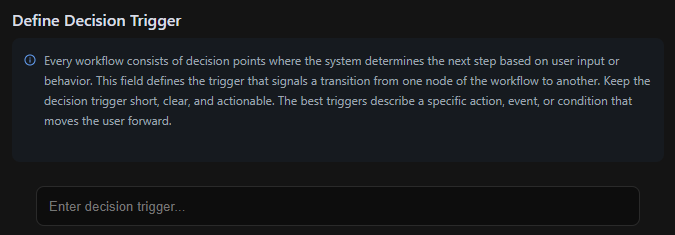
This section establishes the **trigger condition** that signals when the system should transition to the next node.
* Keep triggers **short, clear, and actionable**.
* Triggers should describe a **specific action, event, or condition** that moves the conversation forward.
#### Examples of Decision Triggers:
* **User responded** → The user has provided any input.
* **User confirmed selection** → The user explicitly agreed or chose an option.
* **User is eligible (Age 65+)** → The user meets a specific eligibility requirement.
* **User requested assistance** → The user asked for help or guidance.
* **User abandoned process** → The user did not respond within a set timeframe.
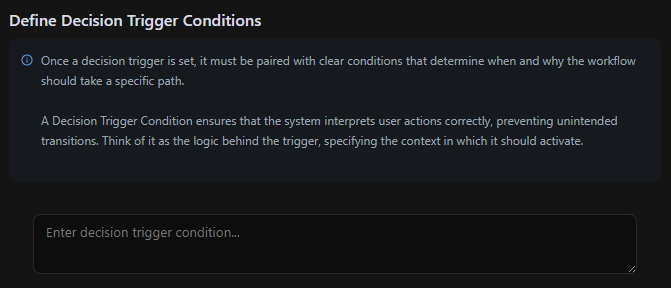
A **Decision Trigger Condition** determines the logic behind the trigger, specifying when and why the transition should occur.
* Ensures that the **system correctly interprets user actions**.
* Prevents unintended transitions by adding **clear, logical conditions**.
#### Examples of Decision Trigger Conditions:
* **User asks for human support** → Choose this path if the user expresses the need for assistance:
* *"I need to talk to a real person."*
* *"Can I speak with a human?"*
* **User selects an option** → Choose this path if the user explicitly confirms:
* *"Yes, that's correct."*
* *"I'll go with option B."*
* **User meets a requirement** → Choose this path if a condition is met:
* *"User's age is 65+"*
* *"User has completed the previous step successfully."*
* **User abandoned the process** → Choose this path if:
* *"User did not respond within 30 seconds."*
* *"User exited the chat/session without confirmation."*
Well-defined Decision Trigger Conditions **ensure seamless, logical workflow progression**.
## Global Decision Triggers
**Global Nodes** have built-in **Global Decision Triggers**, which function the same way as standard Decision Triggers but are **hidden** and **can be triggered from anywhere** in the workflow.
* Every node in the workflow is implicitly connected to a **Global Node**.
* The **configuration of a Global Decision Trigger** is identical to a standard Decision Trigger.
* Unlike regular triggers, **you won't see a visible connection**, but the functionality remains the same.
Global Decision Triggers allow AI workflows to access common responses or functions **without requiring visible node connections**, ensuring efficiency and flexibility.
 ## Creating a Decision Trigger
To create a **Decision Trigger**, follow these steps:
1. **Hover over a node** – A **connector circle** will appear at the bottom.
2. **Drag the connector** – Connect it to the **top circle** of another node.
3. **Configure the trigger** – Define the conditions under which the transition occurs.
## Creating a Decision Trigger
To create a **Decision Trigger**, follow these steps:
1. **Hover over a node** – A **connector circle** will appear at the bottom.
2. **Drag the connector** – Connect it to the **top circle** of another node.
3. **Configure the trigger** – Define the conditions under which the transition occurs.
 * Keep triggers **short, clear, and actionable**.
* Triggers should describe a **specific action, event, or condition** that moves the conversation forward.
#### Examples of Decision Triggers:
* **User responded** → The user has provided any input.
* **User confirmed selection** → The user explicitly agreed or chose an option.
* **User is eligible (Age 65+)** → The user meets a specific eligibility requirement.
* **User requested assistance** → The user asked for help or guidance.
* **User abandoned process** → The user did not respond within a set timeframe.
* Keep triggers **short, clear, and actionable**.
* Triggers should describe a **specific action, event, or condition** that moves the conversation forward.
#### Examples of Decision Triggers:
* **User responded** → The user has provided any input.
* **User confirmed selection** → The user explicitly agreed or chose an option.
* **User is eligible (Age 65+)** → The user meets a specific eligibility requirement.
* **User requested assistance** → The user asked for help or guidance.
* **User abandoned process** → The user did not respond within a set timeframe.
 * Ensures that the **system correctly interprets user actions**.
* Prevents unintended transitions by adding **clear, logical conditions**.
#### Examples of Decision Trigger Conditions:
* **User asks for human support** → Choose this path if the user expresses the need for assistance:
* *"I need to talk to a real person."*
* *"Can I speak with a human?"*
* **User selects an option** → Choose this path if the user explicitly confirms:
* *"Yes, that's correct."*
* *"I'll go with option B."*
* **User meets a requirement** → Choose this path if a condition is met:
* *"User's age is 65+"*
* *"User has completed the previous step successfully."*
* **User abandoned the process** → Choose this path if:
* *"User did not respond within 30 seconds."*
* *"User exited the chat/session without confirmation."*
Well-defined Decision Trigger Conditions **ensure seamless, logical workflow progression**.
* Ensures that the **system correctly interprets user actions**.
* Prevents unintended transitions by adding **clear, logical conditions**.
#### Examples of Decision Trigger Conditions:
* **User asks for human support** → Choose this path if the user expresses the need for assistance:
* *"I need to talk to a real person."*
* *"Can I speak with a human?"*
* **User selects an option** → Choose this path if the user explicitly confirms:
* *"Yes, that's correct."*
* *"I'll go with option B."*
* **User meets a requirement** → Choose this path if a condition is met:
* *"User's age is 65+"*
* *"User has completed the previous step successfully."*
* **User abandoned the process** → Choose this path if:
* *"User did not respond within 30 seconds."*
* *"User exited the chat/session without confirmation."*
Well-defined Decision Trigger Conditions **ensure seamless, logical workflow progression**.